


Fubo: Watch Live TV & Sports
3.020.91K Reviews
App Specs
- Version
- 5.60.0
- Updated On
- License
- Free
- Downloads
- 10,000,000+
- Developer
- fuboTV
- Categories
- Entertainment
- Platform
- Android, iOS
Screenshots
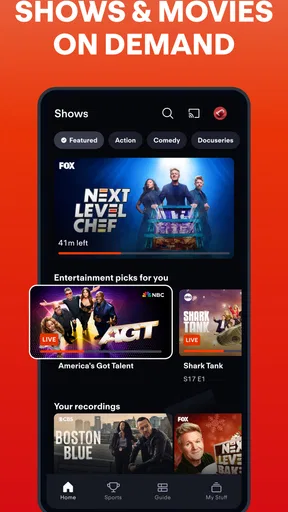
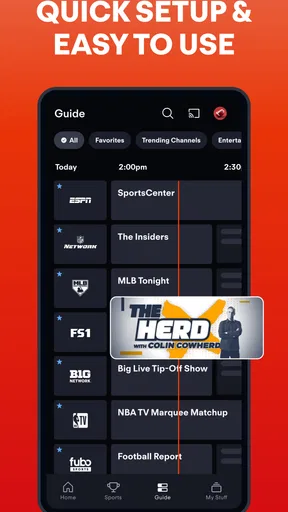
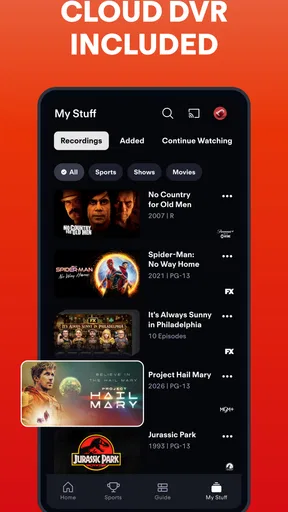

 Analysis by AppCompare
I tend to open a live-TV app with one question in mind: can it get me from “there’s a game on” to actually watching it without turning the evening into a search project? Fubo: Watch Live TV & Sports is built around that kind of viewing, with live channels at its center and entertainment programming alongside sports. I find it most appealing when I want a familiar channel-based experience on a phone or tablet rather than a library of shows to browse at my own pace.
That distinction matters before you install anything. Fubo is an entertainment app from fuboTV, and its focus is live television—not simply a collection of on-demand films. It is free to download, but that should not be confused with all viewing being free: in-app purchases are listed at $6.99 per item, and the service is organized around paid access. I’d check the current plan and channel availability for my own needs before treating the app as a cable replacement.
Start with the viewing problem you actually have
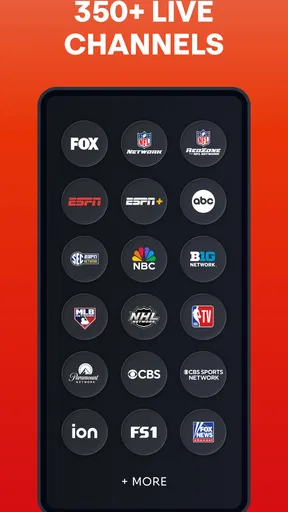
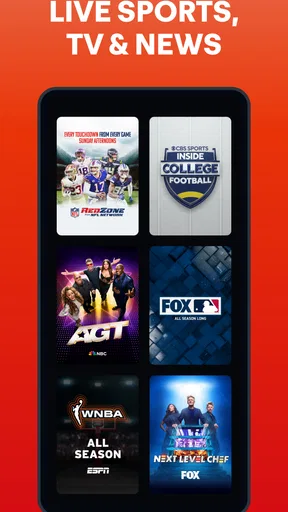
For me, the useful starting point is not “How many channels are there?” but “Which programs do I need to watch live?” The app’s store summary highlights 350+ live channels and points to the FIFA World Cup 2026™ on FOX and FS1. That makes Fubo especially relevant to someone who follows live sports and wants to see whether the channels carrying the events they care about are included in the service available to them.
A broad channel count can sound reassuring, but it doesn’t guarantee that a particular local channel, competition, or show is available in every situation. I’d make a short list before subscribing: the teams or events I follow, the news or entertainment channels I regularly watch, and the times I usually tune in. Then I’d compare that list with the channel lineup shown for my location. That small check is more useful than choosing based on a large headline number alone.
What is Fubo?
So, what’s the deal with Fubo: Watch Live TV & Sports? Well, it’s a streaming service that gives you access to a ton of live TV channels, including sports networks, entertainment channels, and more. It’s like having cable TV without all the messy wires and clunky boxes.
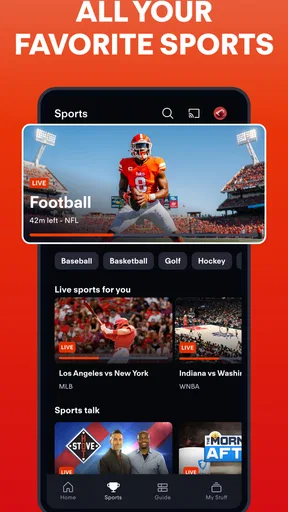
Upon firing up the app, you’re greeted with a sleek and user-friendly interface. It’s pretty intuitive, so you won’t feel lost even if you’re not a tech wizard. Navigating through the app feels smooth, and everything is laid out so you can find your favorite channels or shows without any hassle.
Channel Lineup
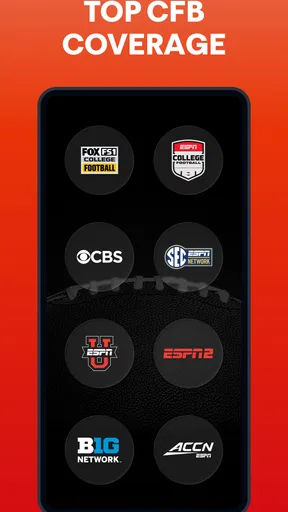
One of the first things I noticed is the extensive lineup of channels. Whether you’re into sports, news, or entertainment, Fubo has got you covered. From ESPN and Fox Sports to NBC, CBS, and even niche channels like beIN Sports, the selection is impressive. Plus, there are a bunch of entertainment and news channels, so you’re not just limited to sports.
Worth Reading Before You Choose

EA SPORTS FC Mobile 26 Is a Bigger Football Game, but It Takes Time

Flipboard Shows What News Apps Must Do Beyond the Feed

Switching to Android Auto Means Rethinking Your Driving Routine

Google Calendar Makes a Crowded Week Easier to Manage

Ludo King Makes the Most of the Minutes Between Plans

Baby Panda World Brings Quick Play to Modern Phones, but Its Game Library Feels Busy
I’m a big sports fan, and let me tell you, having access to live games without the need for a cable subscription is a game-changer. The quality of the streams is top-notch too, with most channels offering HD streaming.
Features Galore
Now, let’s talk about some of the features that make Fubo stand out. First up, the Cloud DVR. This feature lets you record shows or games and watch them later, which is perfect if you’re like me and can’t always catch the live broadcast. You get a decent amount of storage too, so there’s no need to stress about running out of space.
Another cool feature is the "Lookback" option. This lets you watch shows that aired in the past 72 hours. It’s like having a time machine for your TV, and trust me, it comes in handy more often than you’d think.
And if you’re someone who loves to multitask, the "Picture-in-Picture" mode is a real treat. You can watch your sports game while browsing through other content, all on the same screen. It’s perfect for those of us who hate missing out on anything.
Make the live-to-later handoff work for you
The strongest everyday use case is a game that starts while you are still commuting, cooking, or helping someone at home. If you have access to the relevant channel, you can tune in live when you can, then use Cloud DVR to record a program you know you will miss. Lookback offers another route for eligible programming that has already aired within its stated window. Those tools solve different problems: recording gives you a planned fallback, while Lookback is useful when you only realize later that you missed something.
I’d decide which route I need before the broadcast starts rather than assuming every missed event will be easy to recover. For a major match, recording it in advance is the safer habit; for a show I forgot about, checking Lookback is a quick second chance. Either way, I would avoid reading these options as a guarantee that every channel or program can be replayed in the same way. The practical benefit is having more than one viewing path, not never having to plan.
There is also a useful handoff between the small screen and the room’s main screen. Starting on a phone can be handy when I’m away from the sofa, while a television is a better place to settle in for a full match. The original experience describes switching between a phone, smart TV, or tablet. I’d treat that as a convenience rather than a promise that every device transition will be seamless under every network condition: if a live moment matters, I’d get the destination device ready before moving away from the stream.
Streaming Quality and Performance
Quality-wise, Fubo doesn’t disappoint. Most channels stream in HD, and the quality is pretty consistent. I experienced minimal buffering, and the streams were smooth overall. Of course, your internet connection plays a role here, but with a decent connection, you should have a seamless experience.
The app also supports multiple devices, so you can start watching on your phone and switch to your smart TV or tablet without breaking a sweat. It’s all about convenience, right?
Where it fits among streaming alternatives
Compared with a conventional cable package, Fubo’s main attraction is watching channel-based television through an app instead of relying on the familiar cable box setup. Compared with on-demand services, the trade-off runs the other way: those services are usually better when I want to choose a particular film or series and watch whenever I like, while Fubo makes more sense when the live schedule itself is the reason to tune in.
That difference affects how I’d use it. If my week revolves around live games, news, or programs that are broadcast at set times, a live-TV service can bring several kinds of viewing into one place. If I mostly watch a handful of series at my own pace, paying for a large live lineup may be more than I need. I would compare Fubo with other live-TV options by checking the specific channels I watch, not by assuming that one service’s total channel count tells me which is better.
For a household, the decision is also about habits. One person may want a live match while another wants entertainment channels; a broader lineup can be useful when both people genuinely watch different live programming. But if everyone prefers a separate on-demand library, a channel-heavy service may add cost and choice without changing what the household actually watches. The best test is to name a normal week’s viewing, not an idealized one.
Is It Worth the Price?
Okay, let’s talk about the elephant in the room – the subscription cost. Fubo isn’t the cheapest option out there, but considering the range of channels and features, it offers great value for money. If you’re a sports lover, the access to live games alone might justify the price.
Plus, there’s a free trial available, so you can take it for a spin before committing. This gives you a chance to see if it fits your viewing habits and if the channel lineup matches what you’re looking for.
What I would check before settling in
The app has been around since September 8, 2014, and its current version is 5.52.0, with Android support listed from version 7.0. It has more than 10 million installs, alongside an average rating of 3.1 from around 51,000 ratings and roughly 20,000 reviews. I take that mix as a reason to test the experience against my own routine rather than assuming it will suit everyone. The app is rated Teen, another detail worth keeping in mind when choosing what to install on a family device.
Before paying, I’d check three practical things: whether the channels I want are available where I live, whether the plan’s total cost makes sense beside my current viewing options, and whether my usual connection and devices are comfortable for live streaming. A quick test during the hours I actually watch is more revealing than opening the app once at a quiet time. Live viewing is the point, so a smooth experience at my normal viewing time matters more than a good first impression while browsing.
I’d also keep the difference between the download price and the service commitment clear. The app itself is free to install, while in-app purchases are listed at $6.99 per item. That does not tell me the full cost of every possible viewing arrangement, so I’d review the purchase details shown in the app before confirming anything. This is a sensible check for any subscription-style service, especially if I’m comparing it with cable or a mix of other streaming apps.
Who will enjoy it—and who may not
I’d recommend considering Fubo if live sports are a regular part of your week and you also want general live channels in the same app. It can also suit someone who frequently misses scheduled broadcasts but is willing to use recording or Lookback as part of their routine. A realistic example is getting home after a game has begun: I’d check whether it is still live, use the available replay options if appropriate, and move to a larger screen when I’m ready to watch properly.
I’d skip it if live channels are not important to me, if I mainly choose shows from an on-demand catalogue, or if the channels I care about do not appear in the available lineup. It may also be a poor fit for a viewer who expects a free app download to provide free access to all programming. In those situations, an on-demand service or a different live-TV option that better matches my channel list may be the more sensible choice.
One final tip: I would use the app’s different viewing paths deliberately instead of treating them as interchangeable. Use live viewing when joining in real time matters, schedule a recording when I know I will be away, and check Lookback when I have missed something recently. That simple habit turns the features into a practical routine and helps me judge whether the service is earning its place in my monthly entertainment budget.
Final Thoughts
Wrapping up my experience with Fubo: Watch Live TV & Sports, I’d say it’s a solid choice for anyone looking to cut the cord without losing access to live sports and popular TV channels. It’s packed with features that enhance the viewing experience, and the convenience of having everything in one app is a huge plus.
Sure, it might be a bit on the pricier side, but if live sports and a wide variety of channels are your jam, it’s definitely worth considering. So go ahead, give it a shot, and see if it becomes your new go-to streaming service!
Pros
- Wide range of sports channels available.
- High-definition streaming quality provided.
- User-friendly interface for easy navigation.
- Option to record live TV for later viewing.
- Flexible subscription options.
Cons
- Higher cost compared to some competitors.
- Limited availability in certain regions.
- Occasional streaming delays during peak hours.
- Not all channels available in 4K.
- No offline viewing feature.
FAQs for Fubo: Watch Live TV & Sports
What types of content can I watch on Fubo?
Fubo offers a wide range of content, including live sports, news, and entertainment channels. You can watch popular sports like soccer, football, basketball, and more. Additionally, Fubo provides access to network TV shows, movies, and on-demand content, making it a versatile option for cord-cutters.
Is there a free trial available for Fubo?
Yes, Fubo typically offers a free trial period for new users. This allows potential subscribers to explore the platform’s features and content offerings before committing to a paid subscription. The duration of the trial may vary, so it’s best to check their website for the most current offers.
What devices are compatible with Fubo?
Fubo is compatible with a wide range of devices, including smartphones, tablets, smart TVs, and streaming devices like Roku, Amazon Fire TV, and Apple TV. You can also access Fubo through web browsers on PCs and laptops, providing flexibility in how and where you watch.
Does Fubo offer DVR capabilities?
Yes, Fubo includes a cloud DVR feature that allows you to record live TV and watch it later at your convenience. The amount of storage available can vary based on your subscription plan, so it’s important to review the plan details to ensure it meets your recording needs.
Are there any regional restrictions with Fubo?
Fubo's content availability may vary by region due to licensing agreements. Some channels and programs might not be accessible in certain areas. It’s advisable to check Fubo’s regional availability and supported content in your location to ensure you have access to the channels you desire.


